










Jobee'sLair
A store app for jailbroken PS5s. Browse games and homebrew, then download and install them on the console.
Free and open source. No account, no ads.
New Jobee'sLair is on PS4 too, in beta. How to join- 2,200+Games
- 200+Homebrew Apps
- 4,400+Consoles
- 22,600+GitHub Downloads
Donations pay for the servers and the time that goes into updates.
Donate
Games
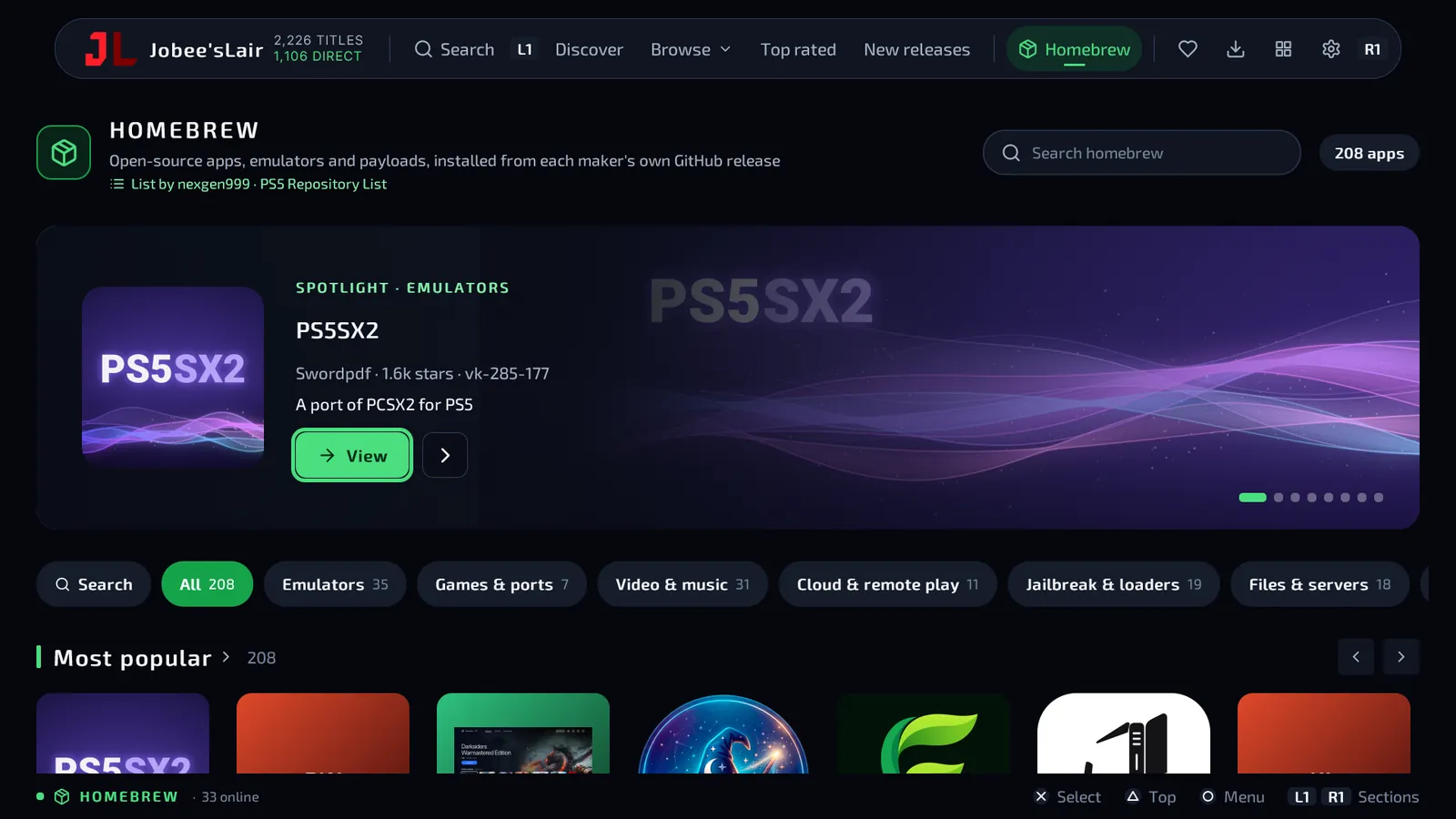
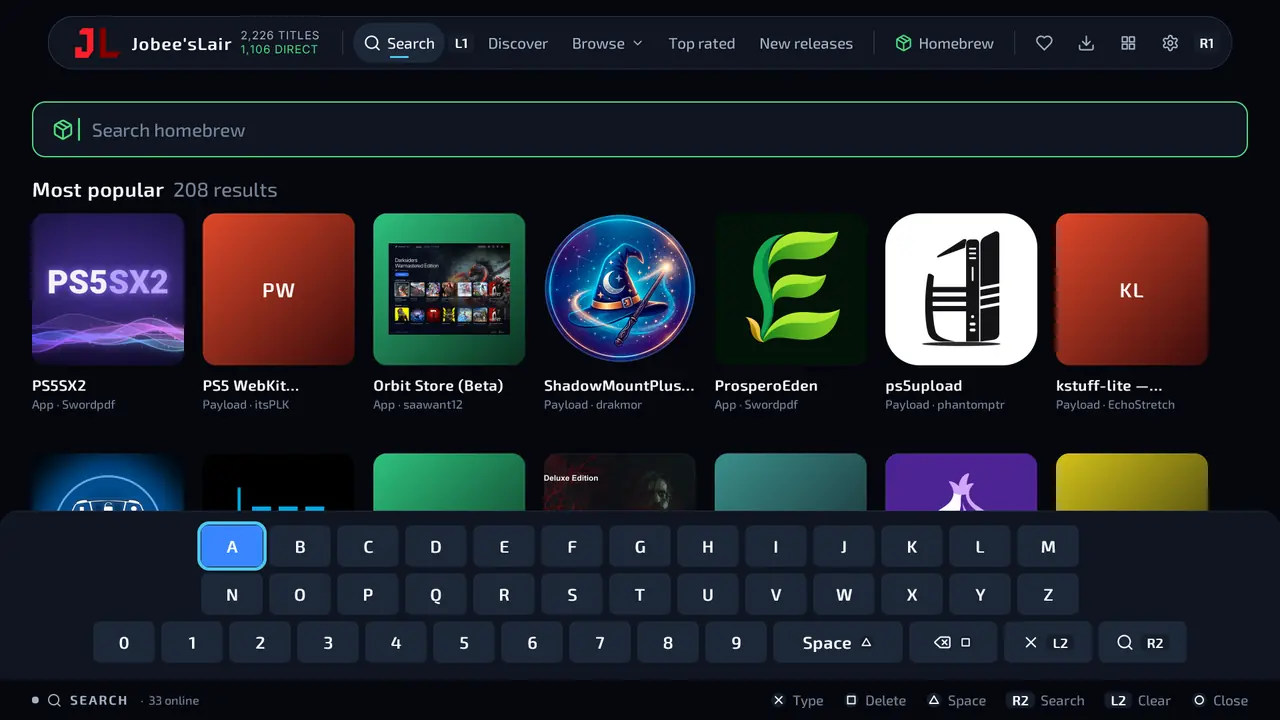
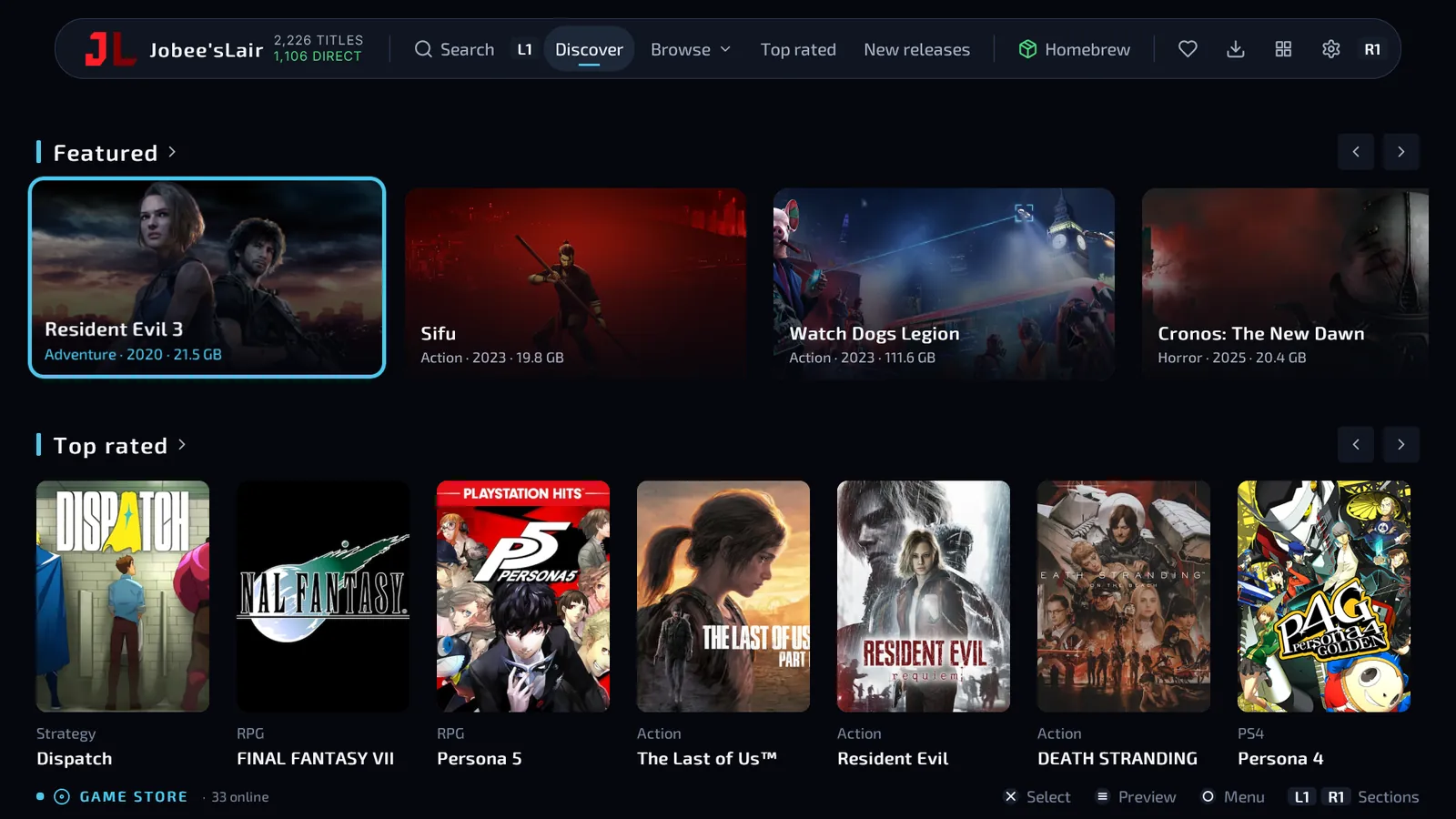
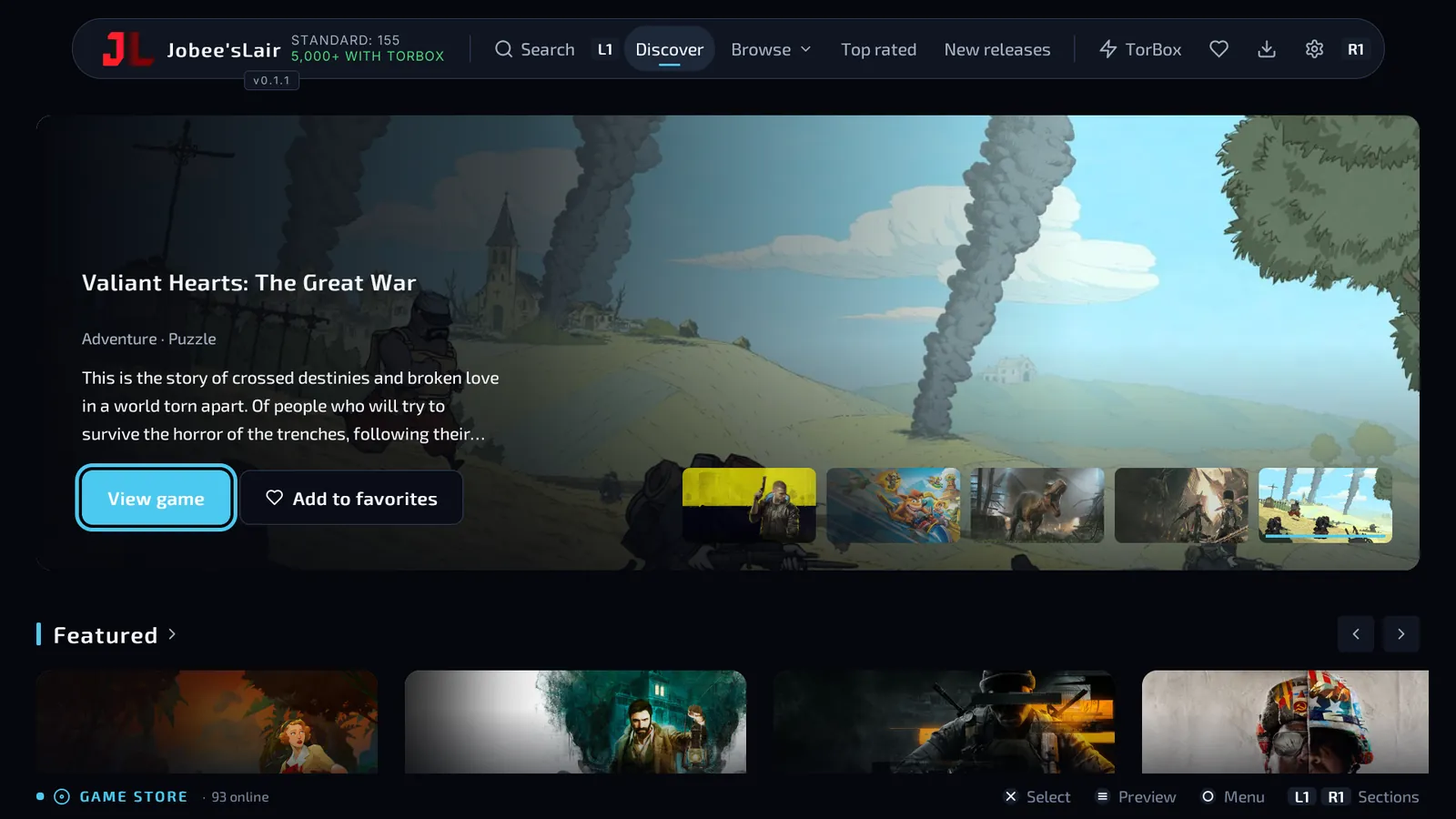
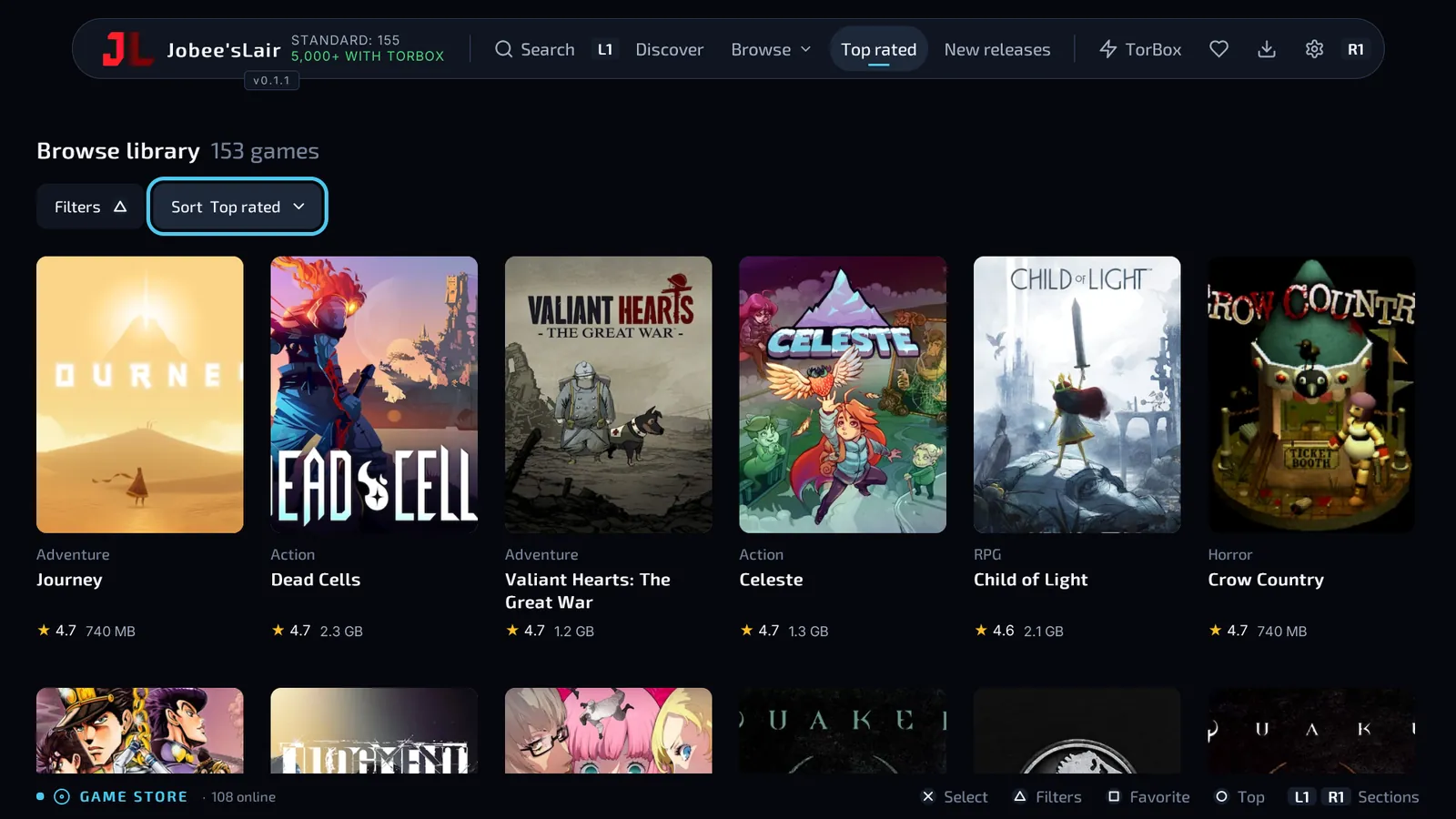
Over 2,200 games, with covers, ratings and genres. Look through Discover, Top rated and New releases, or search with the PS5's own keyboard.
Press Download and the app gets the files, unpacks them and installs the game. If a big download stops, it carries on where it left off.
- Shows how many of a game's links run on your firmware
- Shows how many consoles a game started on, from players' anonymous stats
- Checks your free space before it starts
- TorBox and AllDebrid for full-speed downloads
Homebrew
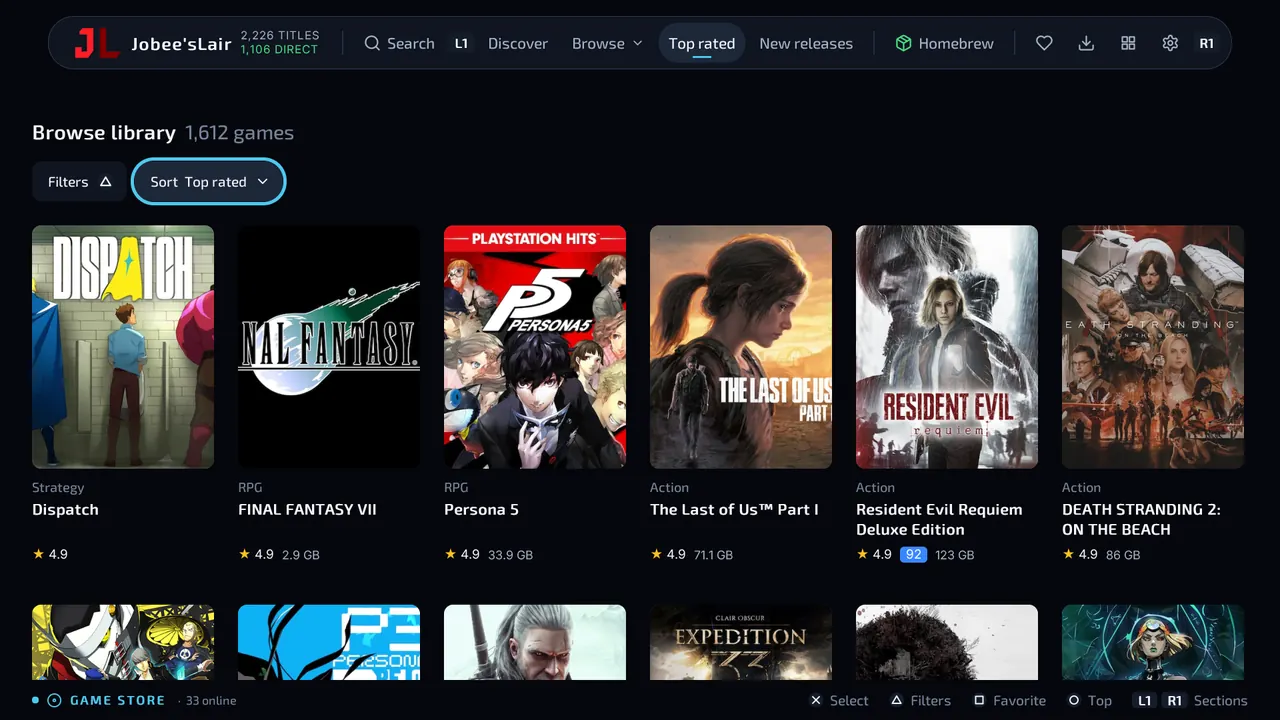
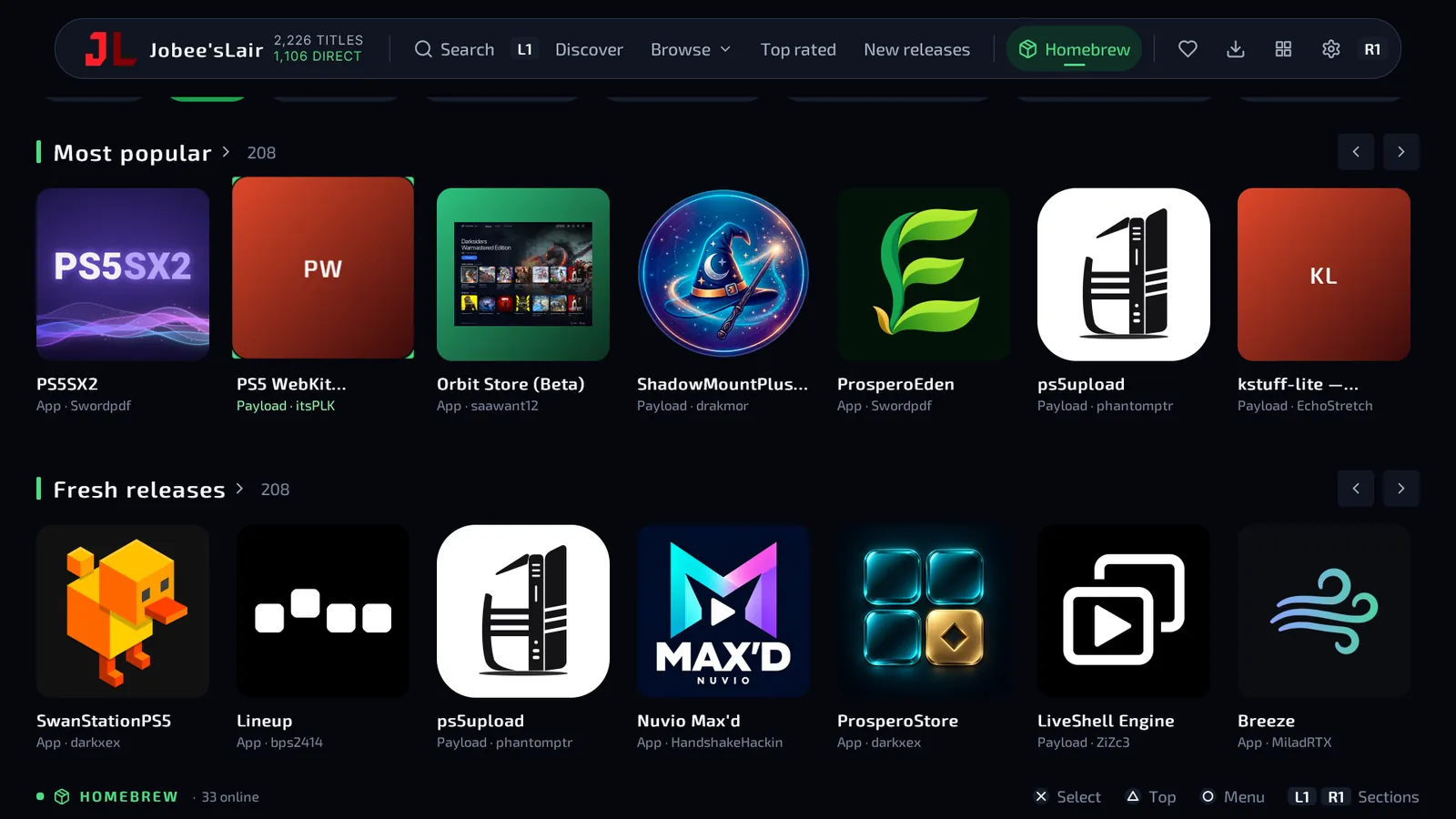
More than 200 homebrew apps, each one installed from its developer's own GitHub release. Search them, update them all in one go, and keep your save data when an app updates.
- 35 emulators
- 31 video and music apps
- 19 jailbreak tools and loaders
- 18 file and server tools
The list updates every 6 hours. It's based on nexgen999's PS5 Repository List.
Phone companion
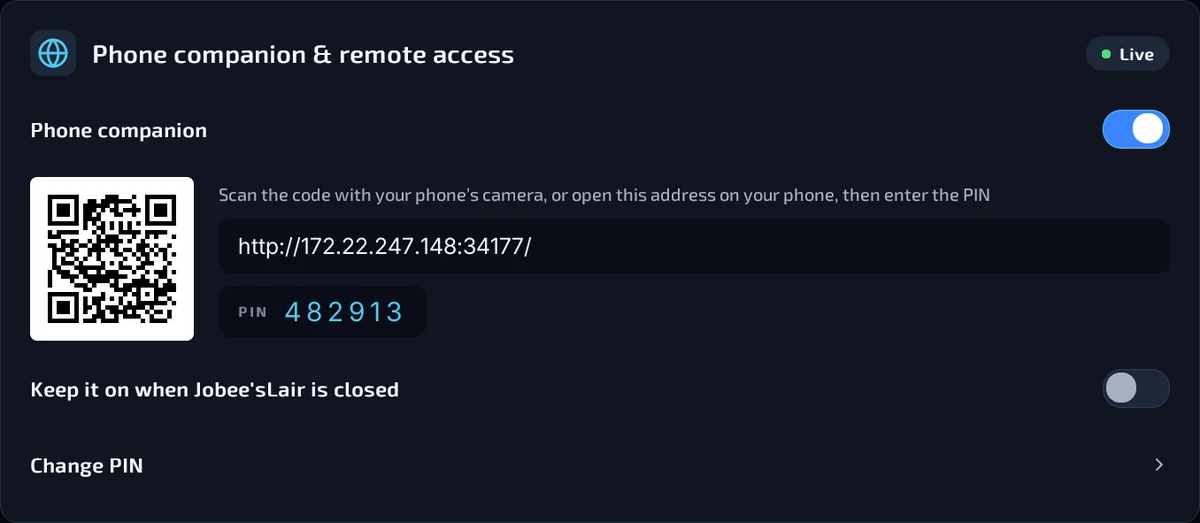
Control Jobee'sLair from your phone. Downloads and installs move live, and your Library, homebrew, TorBox and AllDebrid keys and settings are all there. When the console asks you to type, type on the phone instead, or use it as a remote. It runs in the phone's browser, so there's nothing to install.
- In Jobee'sLair, open Settings and turn on Phone companion.
- Pick a six-digit PIN.
- Scan the QR code on your TV and type the PIN.
It only works on your home network. Wrong PINs make it wait longer each time, and it locks after 20 tries.
What's in Jobee'sLair
All of it works with the controller.
Downloads
- Download queuePause, resume and multi-part games. Finished games install through ShadowMount+ when you close the app.
- TorBox and AllDebridAdd your key and supported hosts download at full speed, with no browser step.
- Links from your phoneA host that wants its check passed: open the page on your phone or in the PS5's browser, and the console takes the link.
Library
- Make RoomEvery game and app on every drive, with your play time. Free up space and move games between drives.
- Fix itWhen a game won't start, it reads the console's log, tries the known fixes and tells you what went wrong.
- Started for playersA game's page shows how many consoles it started on, and how many on your firmware.
Homebrew
- Update allEvery app with an update, updated in one go from its developer's release.
- Saves keptUpdating an app keeps its data. Removing one asks first.
- Search and feedsSearch the whole list, or add a catalog feed by its address, on the console or from your phone.
The app
- Updates itselfNew versions install from inside the app. If an update fails, the old version comes back.
- The PS5's keyboardSearch, links and keys open the console's own keyboard, in your language, or type them on your phone.
- 14 languagesIt follows your console's language. Arabic and Urdu read right to left.
Install Jobee'sLair
You need
- A jailbroken PS5 with kstuff and ShadowMount+
- An ELF loader on port 9021
- A USB drive formatted as exFAT, or FTP access to the console
Tested on firmware 13.60.
-
1
Download the app
Get
Download JobeesLair.exfatJobeesLair.exfatfrom the latest release: v0.5.4, October 30. -
2
Copy it to your PS5
USB: make a folder called
homebrewat the top of the drive and put the file in it. FTP: upload it to/data/homebrew/in binary mode. -
3
Open it
ShadowMount+ installs it in about a minute and shows a notification. Then open Jobee'sLair from the home screen.
Updating
When a new version is out, a badge shows up in the app's top bar. Select it, then Download and install.
Removing
Delete JobeesLair.exfat from the homebrew folder first, then the icon. The other way round, ShadowMount+ puts the icon back.
Donate
Jobee'sLair is free and nothing in it is locked. Donations pay for the servers and the time that goes into updates.
Donate through Buy Me a CoffeeJobee'sLair for PS4
The same store on jailbroken PS4s. Press Install and it downloads, unpacks and installs on the console. RAR, 7z and ZIP files too. No PC, no USB, no FTP.
- 150+Standard Games
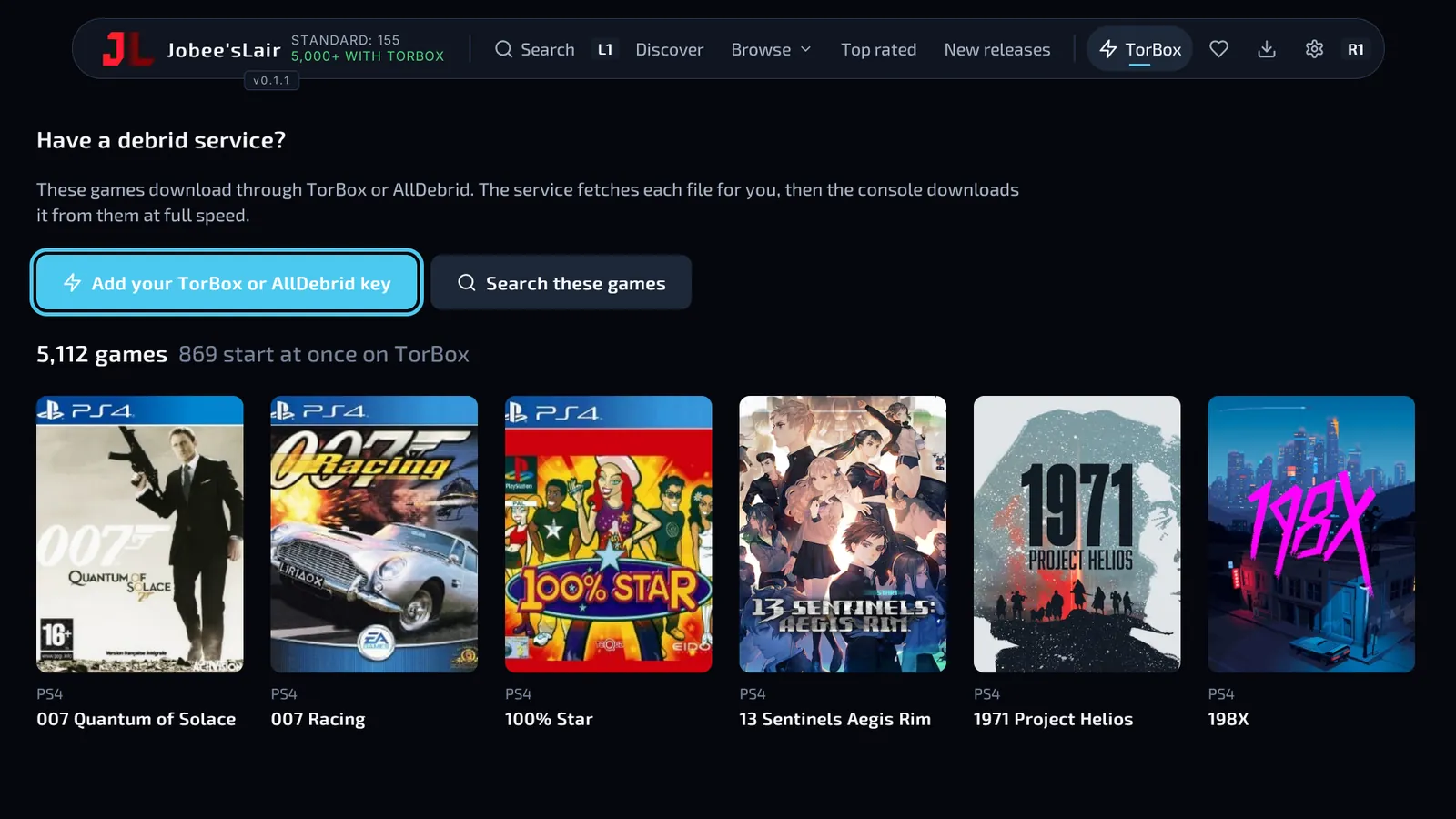
- 5,000+With TorBox
- 400+PS4s on Day One
- Needs GoldHEN. Testers run it on firmware 9.00 to 13.52
- Unpacks archives on the console, and skips the unpack when it can
- When something fails, it sends its own logs, so fixes come fast
A beta: expect bugs. For now it's handed out on Discord only.
Join the PS4 beta
You need
- A PS4 with GoldHEN
- A Discord account
- Room for a game's download and its install at the same time
Testers run it on firmware 9.00 to 13.52.
- 1
-
2
Get beta access
Open the join-the-beta channel and follow its message. The Early Access channels open for you.
-
3
Download the package
The newest
.pkgis attached to the latest post in beta-announcements. -
4
Install it
Put it in
/data/pkgover FTP or on a USB drive, then install it with GoldHEN's Package Installer or Itemzflow. On its first launch, its unpacker sets itself up in about 10 seconds.
TorBox
Add your API key in Settings and the TorBox tab opens 5,000+ more games, at full speed.
Reporting bugs
A failed download or install sends its logs by itself. For anything else: Settings, About & credits, Report a bug. Then post your report code in beta-chat.
Updating
New betas go out on Discord. Install the new .pkg over the old one.
PS5 React
Make PS5 homebrew apps with React. Write JSX, check it in the desktop preview, then build a full-screen app for the console.
- Hooks, state and components, like regular React
- Controller focus built in: D-pad moves, Cross selects, Circle goes back
- Tailwind-style classes and Motion-style animation
- APIs for files, HTTP, big downloads and the controller
Made by half144 and the PS5 React contributors. The original repository is gone, so this one carries it on. Jobee'sLair is built with it.
Downloading
Controller.setLightBar('#4ade80')
import {useState} from 'react';
import {Controller, FocusScope, Text, View, motion} from '@ps5-react/core';

const colours = [
  {name: 'Downloading', hex: '#4ade80'}, {name: 'Paused', hex: '#fbbf24'},
  {name: 'Failed', hex: '#ff1e27'}, {name: 'Ice', hex: '#4cc9f0'},
  {name: 'Violet', hex: '#a78bfa'},
];

function LightBar() {
  const [picked, setPicked] = useState(colours[0]);
  return (
    <FocusScope autoFocus wrap>
      <View className="w-screen h-screen items-center justify-center gap-8 bg-slate-950">
        <Text className="font-inter text-4xl font-bold text-white">{picked.name}</Text>
        <View className="flex-row gap-6">
          {colours.map(colour => (
            <motion.View key={colour.hex} whileFocus={{scale: 1.15}}
              style={{backgroundColor: colour.hex}}
              className="h-20 w-20 rounded-xl border-4 border-transparent focused:border-white"
              onPress={() => {
                setPicked(colour);
                Controller.setLightBar(colour.hex);
                Controller.vibrate(0.4, 100);
              }} />
          ))}
        </View>
      </View>
    </FocusScope>
  );
}More from Jobee's
New projects will show up here. Releases, fixes and news go out on Discord and X. Those are the only official accounts.
980+ people are on the Discord. The PS4 beta, the bug reports and the first look at new features are there.
Donate
Everything here is free, with no ads and nothing locked. Donations pay for the servers and the time that goes into updates and new projects.
DonateGoes through Buy Me a Coffee.